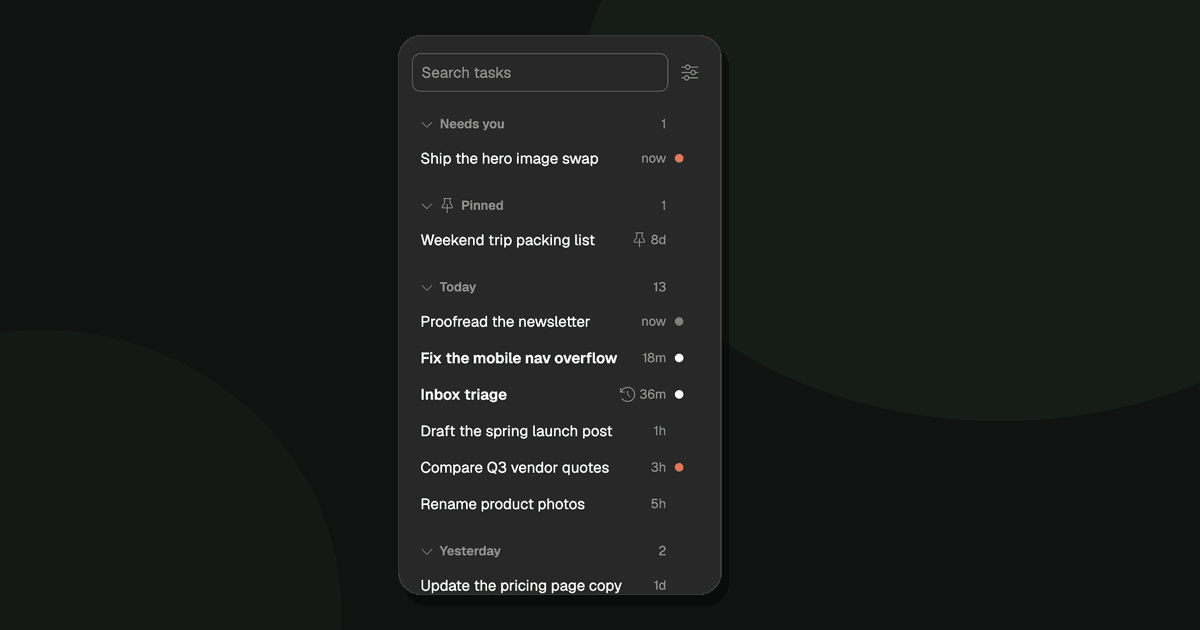
ASI:Work: A Tasks Bar That Keeps Up With You
Ten tasks in, a flat list is fine. A hundred tasks in, you need a tasks bar that groups, folds, and cleans up after itself. Here's what's new in ASI:Work.
A task list is easy when it's short. But ASI:Work tasks add up fast. The daily standup runs every morning, PR reviews stack up across projects, and last month's one-offs are still sitting there. At some point the list stops being a list and starts being a wall.
The redesigned tasks bar in ASI:Work is built for that moment. Group your tasks the way you think about them, fold the repetitive stuff into a single line, and clear out a week of leftovers in a couple of clicks. Here's the tour.
Group it your way
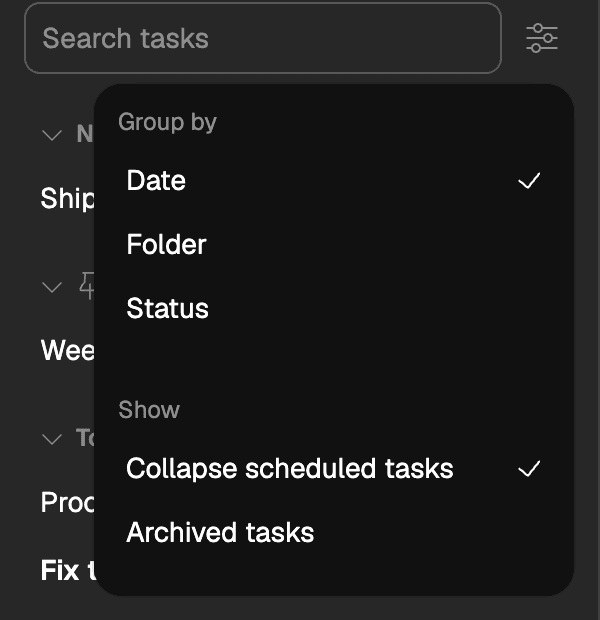
Tap the sliders icon next to the search box and choose how your tasks are grouped:
- Date: Today, Yesterday, Earlier this week, Earlier this month, and Older. Good for "what did I do lately?"
- Folder: one group per project folder, so your blog work and your budget sheet never share a shelf. Code folders show the branch they are on, right in the header.
- Status: Working, Unread, Failed, and Done. Good for the end-of-day sweep.
Grouped by date or status, two sections sit above everything else: Needs you, for tasks waiting on your call, and Pinned, for the ones you want one tap away. Group by folder and they lead inside each folder instead, so a task waiting on you is always the first thing you see in its project. Your choice is remembered, so the sidebar opens the way you left it.
Groups that get out of the way
Every group header collapses. Done with yesterday? Fold it. Each header shows how many tasks are inside, and a folder with a task waiting on you gets a dot on its header, so you'll spot it even when the folder is folded. Collapsed stays collapsed: the sidebar remembers what you tucked away.
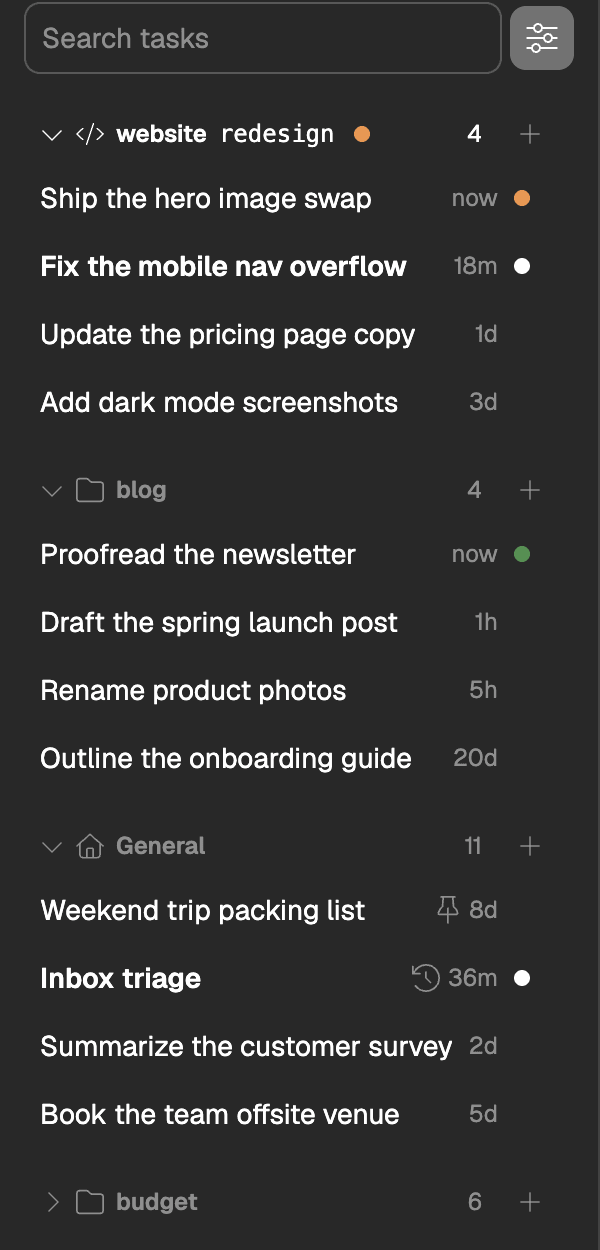
Folder headers carry a "+" button too, so starting a new task in that project takes one tap, with no folder picking. And when you group by folder or status, you can drag a header to put your most-used group first. It stays there.
Scheduled tasks, folded
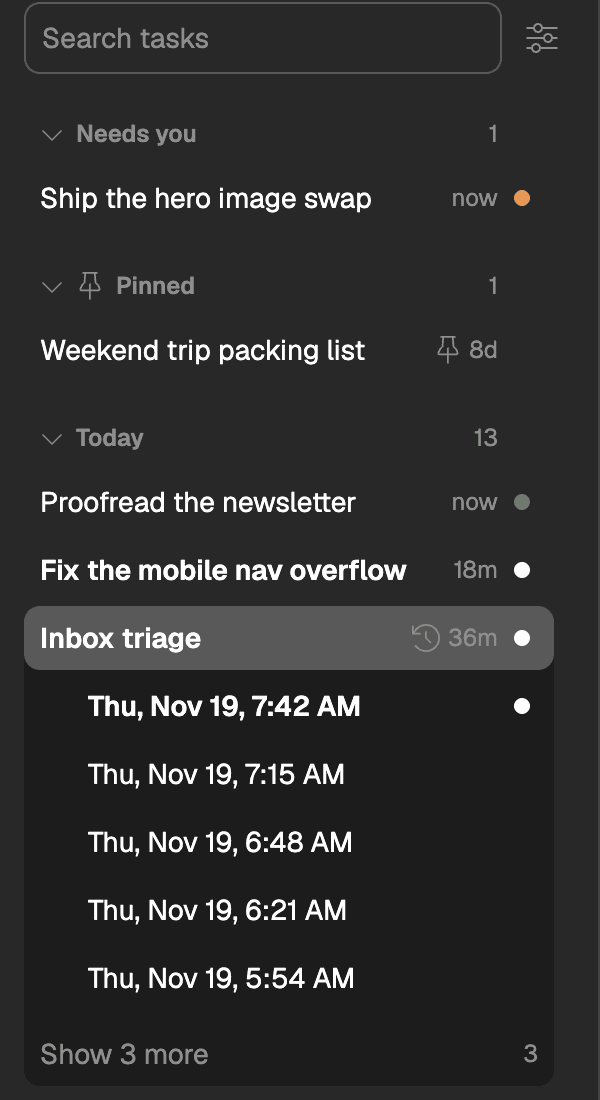
If you schedule work, like a morning standup or a weekly report, the runs pile up fast. The tasks bar now folds them: two or more runs of the same schedule become one line named after the schedule, with the dot of its most urgent run. Open the line and the runs appear five at a time, newest first.
Prefer them flat?
Pick several, act once
Housekeeping used to mean opening each old task and archiving it by hand. Now you can pick a batch: Shift-click a task, or press and hold one, and checkboxes appear on every row. Tick the ones you're done with and a bar shows how many you picked, plus the two moves that matter: Archive and Delete. Delete asks first, since it can't be undone. Press Escape to clear the selection.
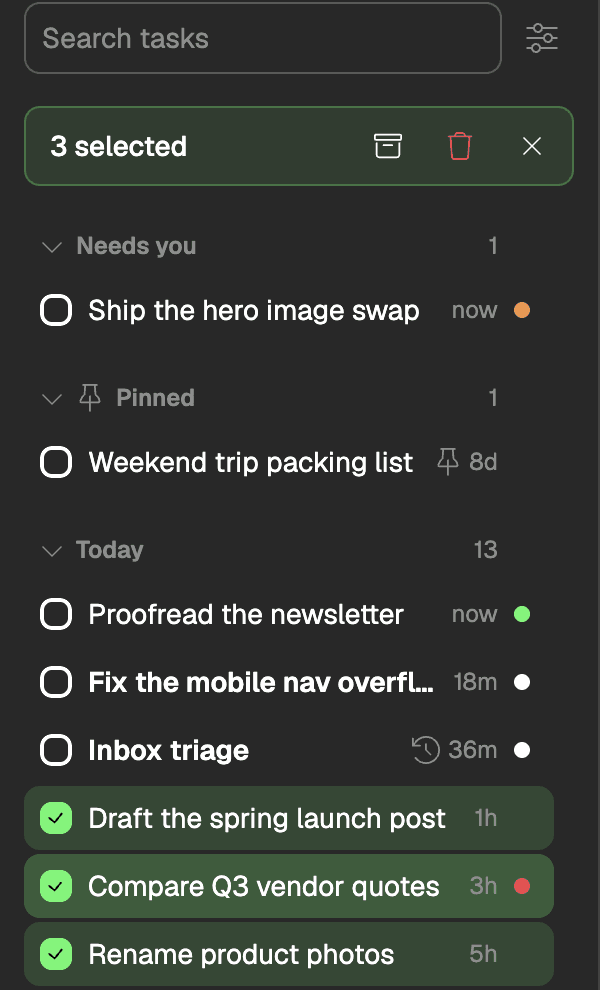
Single tasks still have their own menu: Pin, Rename, Archive, and Delete live behind the three dots on any row. Pinning puts a task at the top of the list (or of its folder), and you can drag your pins into whatever order you like.
Find anything fast
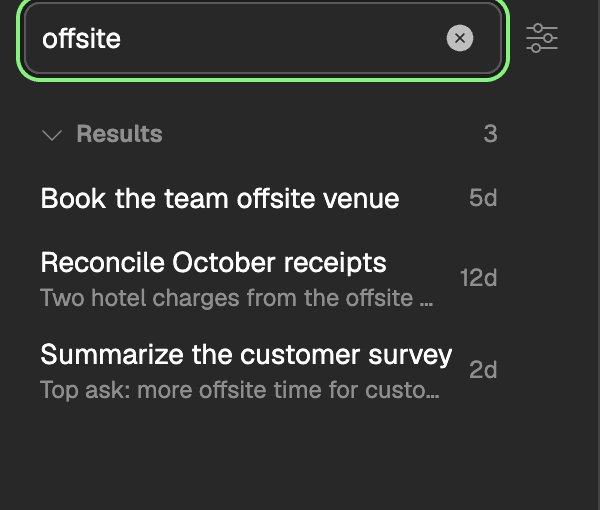
The search box doesn't just match titles. It looks inside your tasks too, across every date and folder. Type a few words and matches land in one Results list, and tasks found by what's inside them show their latest message under the title, so you can tell them apart at a glance.
Your sidebar, your call
None of this changes what a task is. It's still a chat, your files, and your AI doing the work, the way the ASI:Work announcement describes. What changes is the list around it: it bends to you. It's grouped the way you think, quiet where it should be quiet, and one selection away from clean.
Open ASI:Work and try one thing: group by Status, select the Done pile, archive it, and enjoy how short the list looks after.
Keep Reading
ASI:Work Scheduled: Let Your AI Run the Routine
Describe a recurring job once, say when it runs, and your AI handles it from there - which is exactly why the tasks bar now folds scheduled runs into one line.
Read MoreGetting StartedGetting Started with ASI:Work
New to ASI:Work? This guide walks you from opening the app to finishing your first task, with no technical setup required.
Read MoreProduct UpdateIntroducing ASI:Work: AI that does the work
ASI:Work is the desktop business application for getting work done with asi1. Point it at a folder on your computer, describe the job, and by default it checks with you before risky actions.
Read MorePut your tasks in order
Group them, fold them, sweep them. The tasks bar does the tidying so you can focus on the doing.