Introducing ASI:Work: AI that does the work
For most of your work with AI, you chat. You ask, it answers, you copy the answer somewhere else. ASI:Work is different: it reads your files, writes new ones, and runs commands on your machine, with your approval at every step.
Most of the time, working with AI means copying things into a chat window. You drag a document in, you copy the answer out, you paste it somewhere else, and you repeat.
The AI never actually touches the work. It watches it from behind glass.
Today we are releasing ASI:Work, and it is built around a different idea: the AI should work where your work already lives, in the files and folders on your computer, and it should never touch anything you have not approved first.
What ASI:Work is
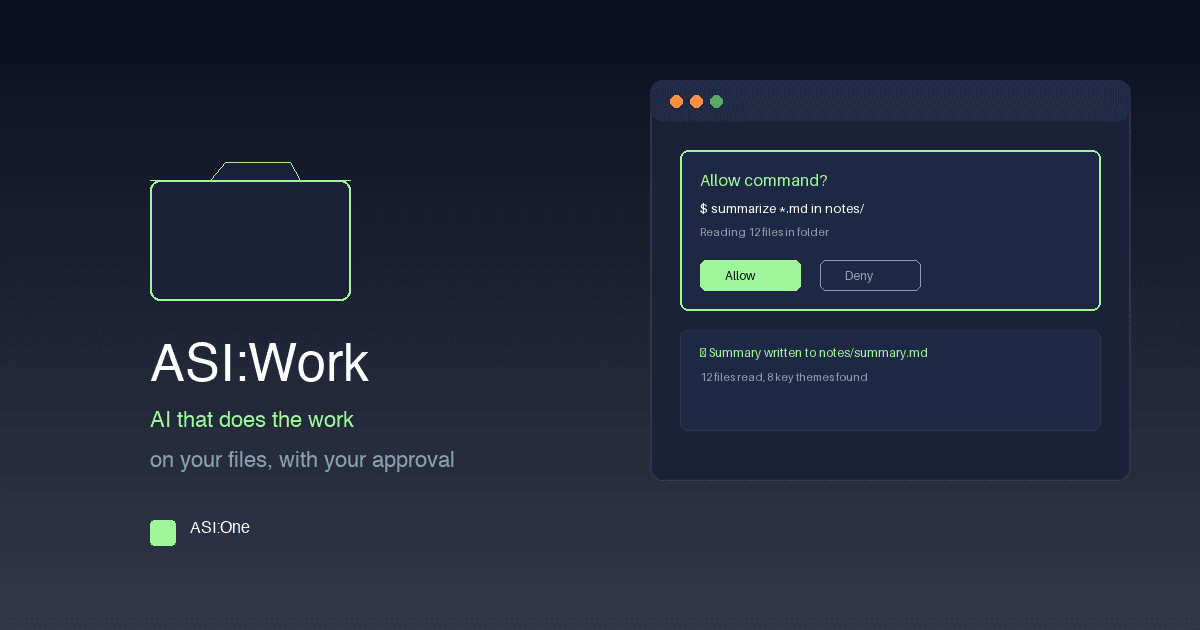
ASI:Work is a new tab inside the ASI:One desktop app. You pick a folder that already exists on your computer, pick a model, and describe the job. Work reads the files, writes new ones, edits existing ones, and runs commands on your machine to get it done. Every single step waits for your OK first.
- You pick the folder Work only operates on the folder you choose. Your project, your reports, your sales notes, your codebase.
- You pick the model Work runs the asi1 model family: asi1 by default, asi1-mini for speed, asi1-ultra for the heaviest jobs. asi1-mini is open weights on Hugging Face.
- You describe the job Type what you want done. Work reads, writes, edits, and runs commands, showing you each step before it happens.
What your security team will ask about
This is the part we care about most, so we made it the product instead of a policy page.
- You approve every step By default, every file Work wants to read, every file it wants to change, and every command it wants to run shows up on a card first. You choose Allow once, Deny, or Deny and say why.
- Your files stay in your folder Work operates on the folder you chose and warns you whenever a change touches anything outside it.
- Your AI stays yours Work runs on your computer, on your organization ASI:One plan. Your prompts and your data are never used to train models. The same privacy commitment for every team, in every region.
What it is not (yet)
We would rather tell you plainly than surprise you later.
- Mac, Windows and Linux today ASI:Work runs on macOS, on both Apple Silicon and Intel Macs, on Windows 10 and 11, and on Linux through .deb and .rpm packages.
- No email or web search Work does not send email, check your calendar, or search the web. Those live in the ASI:One chat tab next door, and connected apps will come to Work in a future release.
- No file attachments The message box takes text only. The whole point is that Work reads the folder you pointed it at.
Getting started
If you already use ASI:One, open the desktop app and click the Work tab. If you are new, download the desktop app and run your first task today.
The jobs you keep postponing because they are tedious but not hard - cleaning up that folder, writing that summary, updating that report - are exactly what Work is for. Pick a folder and hand one over.
Keep Reading
Ready to go deeper?
ASI:Work is ready when you are. Download the ASI:One desktop app and run your first task today.