Watch Your AI Think
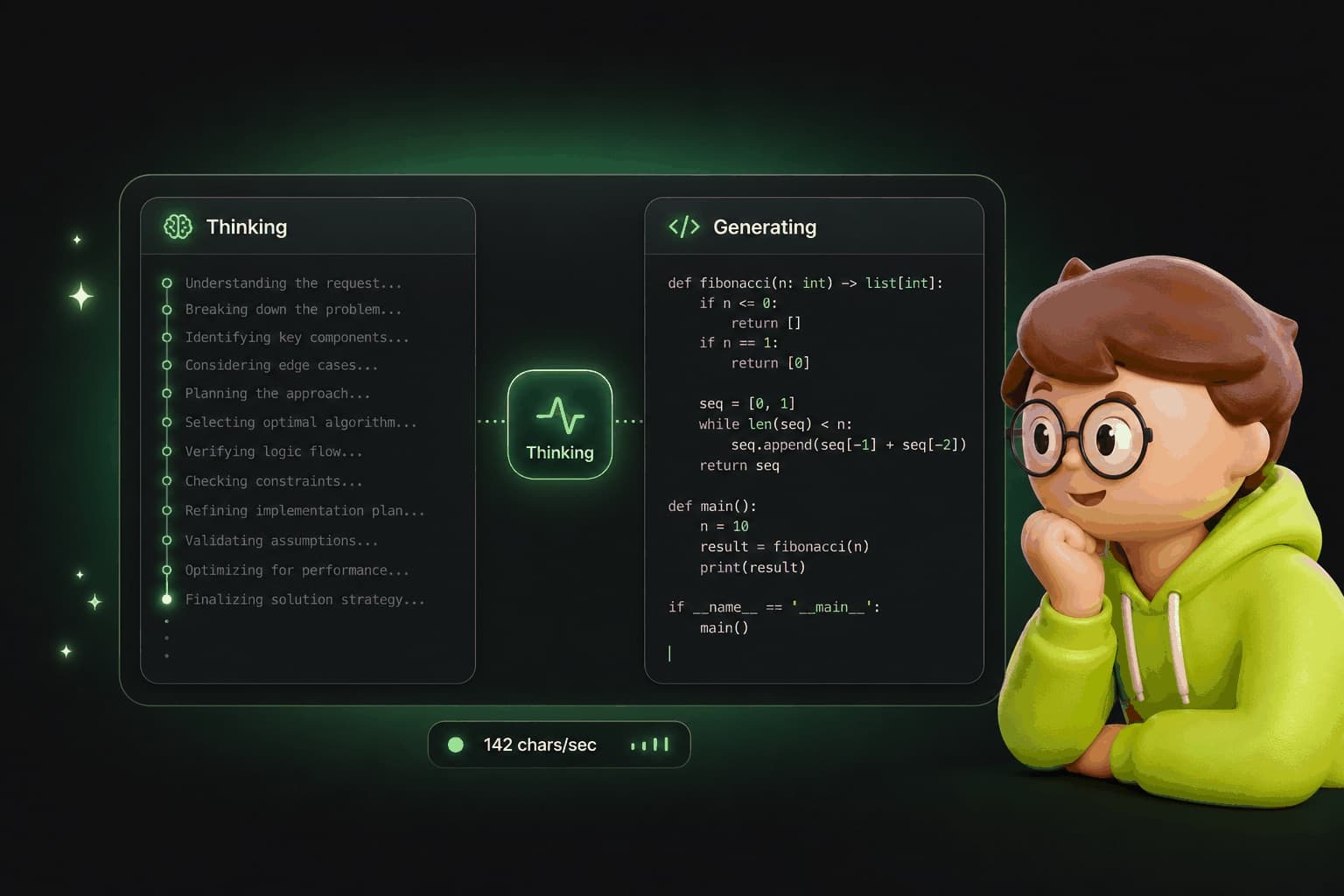
The Playground now shows you exactly what the model is doing. Real-time chain-of-thought reasoning, live throughput stats, and keyboard shortcuts for fast iteration.
Most AI tools give you a response and you take it or leave it. You have no idea how it got there. The Playground changes that. Now you can watch the model reason through your prompt step by step, see exactly how fast it's generating, and iterate with keyboard shortcuts that make the loop feel instant.
What You See Now
When you send a prompt in the Playground, the response area splits into two phases. First, the Thinking phase - the model's chain-of-thought reasoning appears in real time. You can see it consider different approaches, weigh trade-offs, and build its answer piece by piece.
Then the Generating phase begins and your final response streams in. Two sections. One conversation. The toggle between them is always visible so you can check the reasoning behind any response.
This isn't a summary of what happened. It's the actual internal reasoning, streaming as the model produces it. You see every consideration, every discarded approach, every decision point.
Live Stats
The Playground tracks three things while the model works.
Characters per second
A real-time throughput counter showing how fast the model is generating. Useful for comparing models, spotting bottlenecks, and understanding performance.
Phase indicator
Shows whether the model is in Thinking or Generating mode. You always know which part of the process you're watching.
Syntax highlighting
Code blocks in the response are highlighted by language automatically. Python, TypeScript, JSON, SQL - whatever the model writes, it's readable.
Keyboard Shortcuts
Two shortcuts. That's all you need.
Cmd+Enter (or Ctrl+Enter) - Submit
Escape - Stop generation
The loop should feel like a conversation, not a form submission. Submit, read, stop if it's wrong, refine, submit again. These shortcuts make that loop fast enough that you stay in flow instead of waiting.
Why This Matters
Transparency changes how you prompt
- Better prompts Seeing the reasoning teaches you what instructions the model responds to and what it ignores.
- Faster debugging When the output is wrong, the thinking section shows you where the model's logic broke down.
- Model comparison Characters per second and reasoning quality give you concrete data to compare models, not just vibes.
Try It
Three steps. Under a minute.
Go to the Playground
Enter a complex prompt
Watch the Thinking section
Keep Reading
Your AI Has 50 Tools
Meet the superpowers that make your AI useful.
Read MoreThought LeadershipSocial Intelligence: The AI That Knows Your People
Your AI understands your relationships, your preferences, and your social world.
Read MoreProduct UpdateYour AI Checks Its Own Work
After every answer, a second opinion looks for a tool that would have done better.
Read MoreSee how your AI reasons
Open the Playground and watch the model think through your next question. Real-time reasoning. Live stats. Keyboard shortcuts.