Your AI Has Questions
When your AI is missing a detail, it stops and asks you. A quick card, real options, one question at a time. No more watching it guess.
You say “set a reminder for my appointment.” Your AI picks a date, picks a time, picks wrong. You correct it, it apologizes, you correct it again. The task was ten seconds. The cleanup was five minutes.
That loop existed because your AI had exactly one move when it was missing a detail: guess. Now it has a better one. It asks.
It Asks Before It Acts
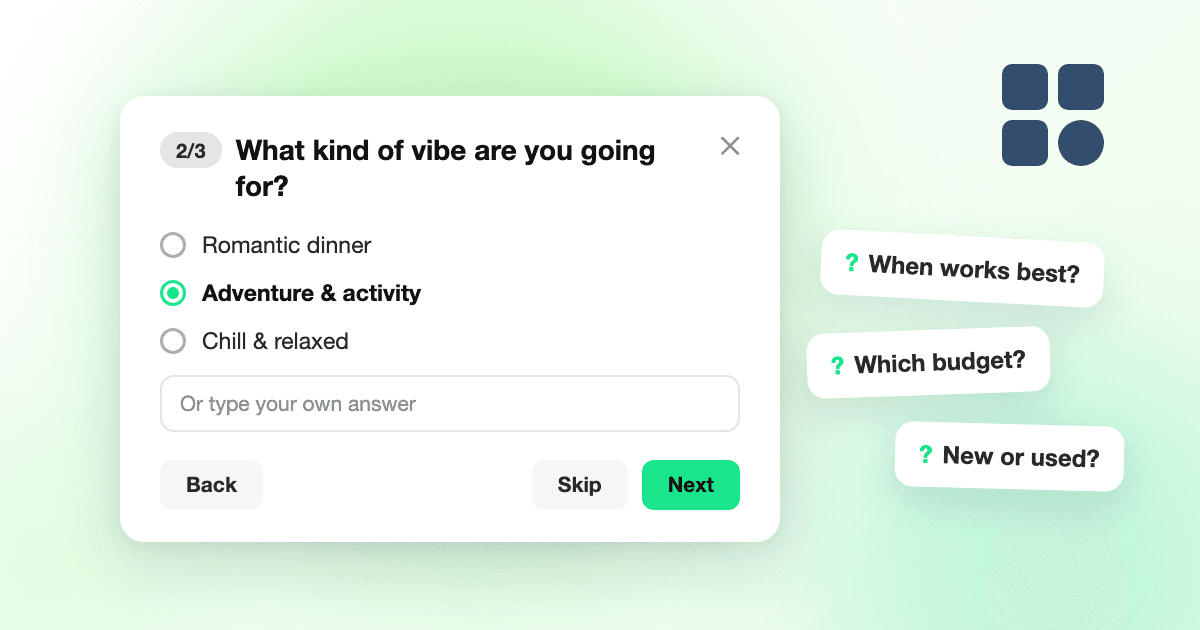
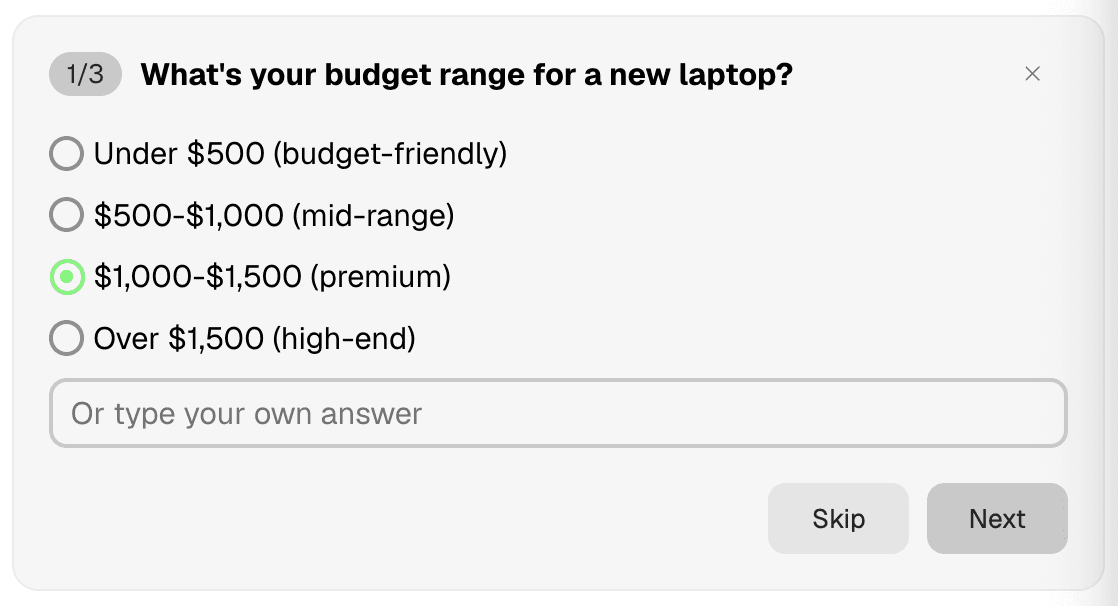
When a request is missing something your AI actually needs, a question card shows up right above the chat box. Not a wall of text. A card, with the exact things it needs to know before it does the thing.
The options are real, not generic. Ask it to save a note and it lists your actual folders. Ask it to schedule something and it works from your actual calendar. And if none of the options fit, there’s always a field to type your own answer.
Why this matters
One Card, Not Twenty Questions
If your AI needs a few details, it doesn’t send a few messages. Everything lands in one card that walks you through one question at a time, with a little counter so you always know where you are.
- One question at a time: a 2/3 counter shows your place, Back goes back
- Enter moves you forward: answer, hit Enter, next question
- Skip is per question: skip what you don’t care about, answer what you do
Submit once and your AI takes it from there, with everything it needed the first time.
“Never Mind” Is a Real Answer
Changed your mind? Hit the X. The card disappears, your AI says “Stopped - waiting on you.” and that’s it. No lecture about what it couldn’t finish, no half-done attempt with the blanks filled in anyway.
Skip and dismiss mean different things now. Skip says “go ahead without that detail.” The X says “forget it.” Your AI respects the difference.
In Group Chats, It Asks the Right Person
When someone in a group chat kicks off a task, the follow-up questions belong to them. They get the card. Everyone else sees a quiet “Waiting on Jenn to answer a few questions...” right where the typing indicator usually lives.

The moment they answer, the line clears for everyone and the conversation keeps moving. And once the questions are answered, the whole group can see what was asked and what was chosen, so nobody is left guessing about the plan.
Keep Reading
Your AI Checks Its Own Work
After every answer, a second opinion looks for a tool that would have done better.
Read MoreFeature GuideYour Tools, Right Where You Type
Tap the Connected Services icons next to the chat box to see what your AI can use.
Read MoreProduct UpdateYour AI Just Got a Major Memory Upgrade
Your Personal AI now knows who said what in group chats.
Read MoreReady for an AI That Asks?
Create your Personal AI and give it something to do. When it needs a detail, it’ll ask you, not guess.