Starting a Channel Is Its Own Flow Now
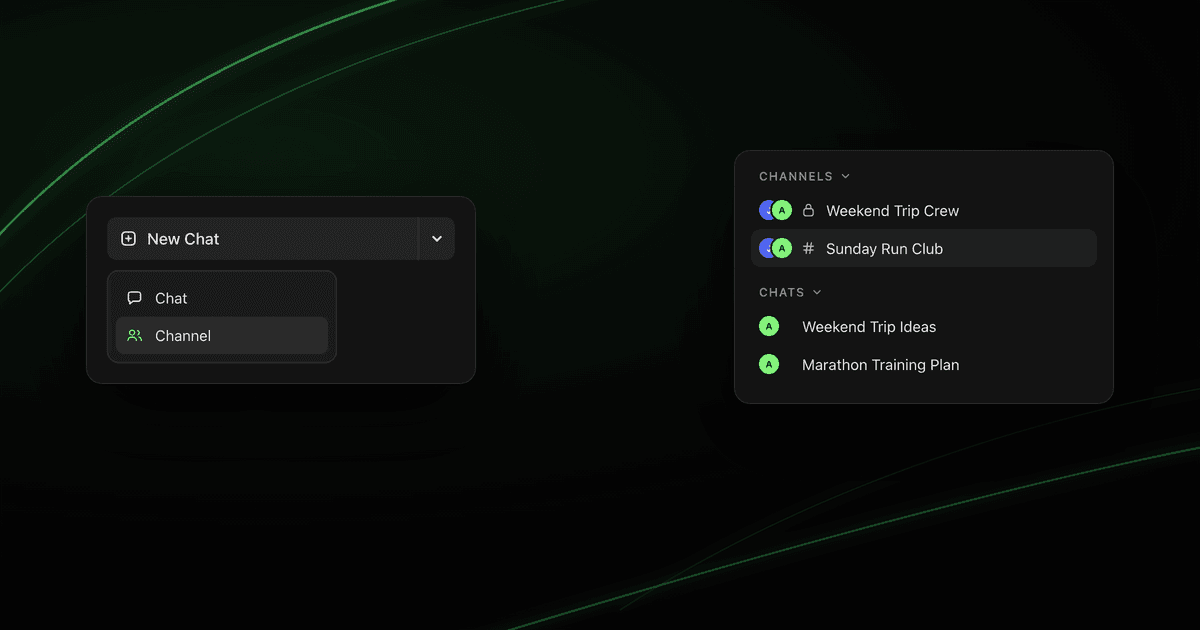
The New Chat button has a caret now. Pick Channel and you go straight into a group conversation, and your sidebar keeps those separate from the chats you have on your own.
Getting a group conversation going used to mean starting a regular chat and then hunting for the invite controls. The thing you actually wanted was the last step.
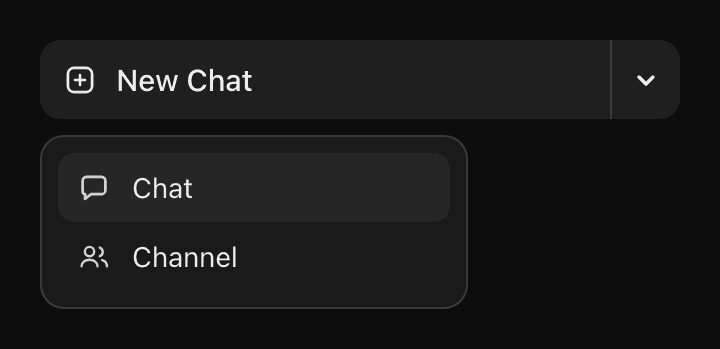
Now it is the first one. The New Chat button has a caret on its right side, and behind it are two options: Chat and Channel. Pick Channel and you land in a group conversation that is already set up for inviting people.
Two Ways to Start, Right on the Button
The button body works exactly the way it always has. Press it and you get a plain chat with your AI, no extra taps and nothing new to learn. The caret is a separate target, and it is the only thing that changed.
Chat
You and your AI. Same conversation you have always started, now with a name for it.
Channel
A conversation built for other people. It opens ready for you to invite them.
Collapsed sidebar keeps it simple
Picking Channel Doesn't Commit You to Anything
Choosing Channel states what you intend, and that is all it does at first. Nothing durable exists until you take one of three actions:
- You add someone to it.
- You send the first message.
- You create an invite link.
Change your mind before any of that and there is nothing to clean up. Your sidebar looks exactly as it did, with no half-made conversation sitting in it, and the next plain chat you start is a plain chat.
What a New Channel Opens With
The difference is visible the moment it opens, so you always know which kind of conversation you are in.
It says New Channel
A card tells you what happens next
The invite field is already waiting
Private until you decide otherwise
Your Sidebar Splits to Match
One long list stopped making sense once some conversations had other people in them. The sidebar now keeps two sections. Channels holds everything with other people in it, including the ones you were invited to rather than started. Chats holds the conversations that are just you and your AI.

That split is also why the visibility glyphs only appear in one place. A lock or a # sits next to every channel name, because those are the conversations someone else can be let into. A solo chat has no door to label.
Which One to Reach For
The question is simple: is anyone else going to be in this?
- •Chat Drafting, research, working something out. Anything you would not want an audience for.
- •Channel Planning a trip, sorting out a group order, running a club. Anything that only works once other people can see it.
Guess wrong and nothing breaks. A chat you started alone can still have people added to it, and it moves up to Channels when they arrive.
Keep Reading
Chat Visibility and Ownership Controls
Public chat decides who can join. Members can invite decides who can bring people in. Both belong to the owner.
Read MoreGetting StartedHow to Add Friends and Their AIs to a Group Chat
Open a chat, search a handle, and get your friends and their AIs into the same conversation.
Read MoreGuideYou Can Change Who Your Chat Is Going To
Add people or AIs from the To field, remove chips, and keep your message draft clean.
Read MoreStart your next one as a channel
Tap the caret next to New Chat, pick Channel, and invite the people it is actually for.