Text Your AI. From WhatsApp.
Your Personal AI just got a new number. Message it on WhatsApp - same superpowers, different app.
You use WhatsApp for everything. Group chats. Quick questions. Sharing plans. Now add one more contact to that list: your Personal AI.
Send a message on WhatsApp. Your AI reads it, uses its superpowers, and responds - right in the same thread. No app switching. No browser. Just a text.
Your AI Has a WhatsApp Number
Your Personal AI is now reachable on WhatsApp. Text the ASI:One WhatsApp number, and your AI picks up the conversation. It knows who you are, remembers your context, and has access to every superpower you've given it.
Memory. Web search. Planning. All of it works over WhatsApp.
ASI:One WhatsApp Number
+1 (555) 891-1684
Save this number to your contacts and start texting your AI.
How It Works
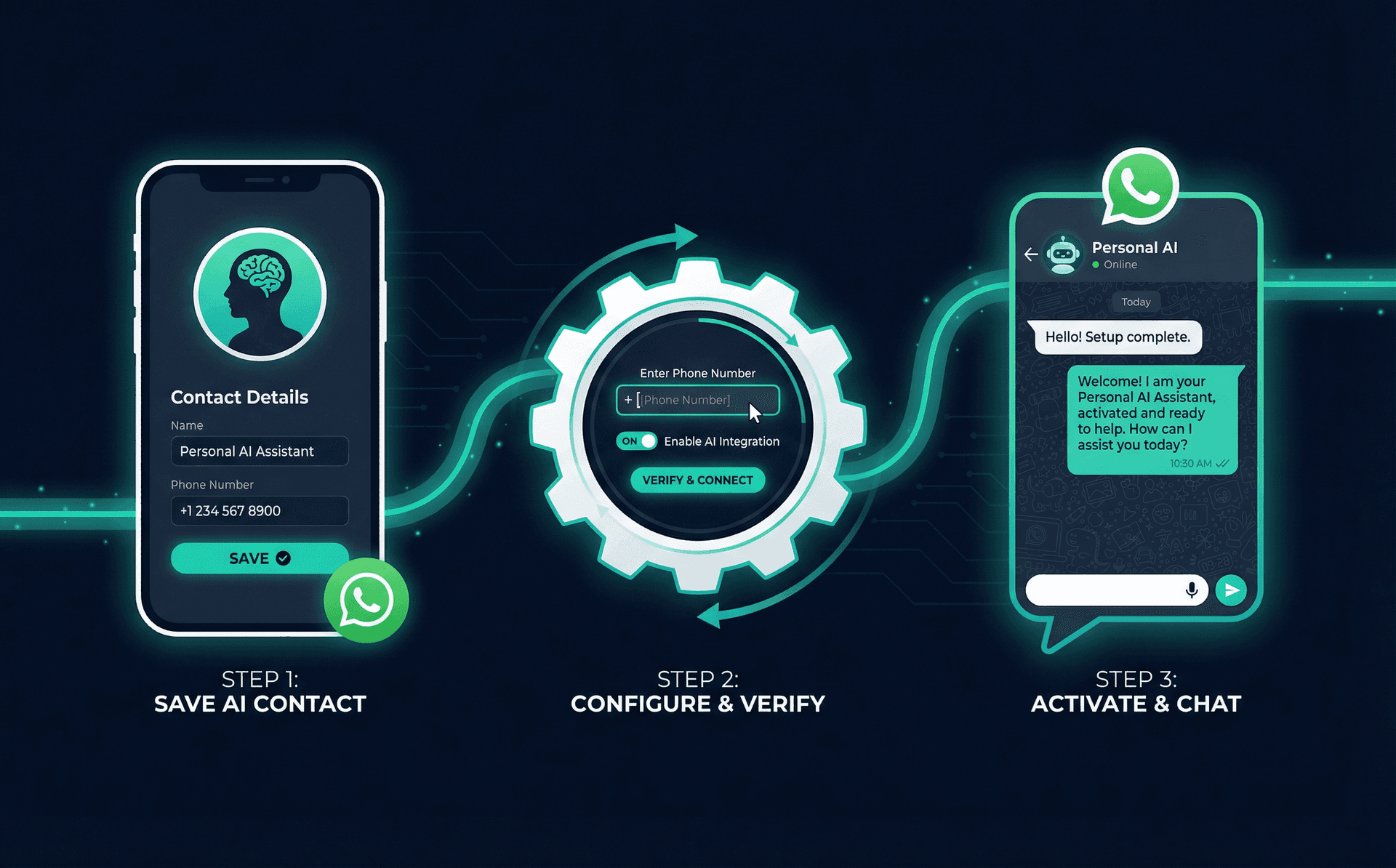
Save the Number
Tell Your AI Your WhatsApp Number
Send a Message
Same Superpowers, New Channel
WhatsApp isn't a lite version. Your AI has full access to every superpower you've configured - the same capabilities it has on the web.
Memory Recall
Your AI remembers what you've told it. "What was that restaurant I liked in Austin?" It knows.
Web Search
Need a quick answer? Your AI searches the web for you and delivers a summary right in WhatsApp.
Task Planning
"Plan a weekend trip to Grand Rapids." Your AI builds an itinerary and sends it over.
When WhatsApp Beats the Browser
- Traveling abroad - WhatsApp works everywhere. Your AI does too, now.
- Quick questions on the go - "What time is my flight?" No need to open a browser.
- Sharing plans with friends - Ask your AI for restaurant recommendations, then forward the response to your group chat.
- Low signal situations - WhatsApp works on minimal data. Get AI responses where web apps struggle.

Pro Tip
Getting Started
- Requirement: An ASI:One account with a Personal AI
- Setup: Add your WhatsApp number in AI Settings > Agent
- WhatsApp number: +1 (555) 891-1684
- Availability: Available now for all ASI:One users
Keep Reading
Hand It Off: Your Personal AI Does the Whole Job
Reach your AI from any app. And now have it do the whole job for you while you go on with your day.
Read MoreNew FeatureYour AI Speaks Your Language. Literally.
Talk to your personal AI on mobile. In any language. It talks back.
Read MoreProduct UpdateYour AI Can Plan Now
Your Personal AI doesn't just answer questions anymore - it plans and executes.
Read MoreAdd Your WhatsApp Number Now
Open AI Settings, enter your WhatsApp number, and start texting your AI. It takes 30 seconds.