Your AI Goes Where You Go.
The ASI:One mobile app just got a major upgrade. Planner mode, push notifications, voice, a refreshed profile, and new ways to log in.
Your Personal AI isn't tied to a browser tab anymore. The latest ASI:One mobile update brings planner mode, push notifications, a refreshed profile, new login options, and voice chat to your pocket. Six features. One update. Your AI, everywhere you go.
What's in This Update
This is the biggest mobile update we've shipped. Here's the full list:
Planner Mode
Your AI can plan multi-step tasks on mobile. Same planning power as web.
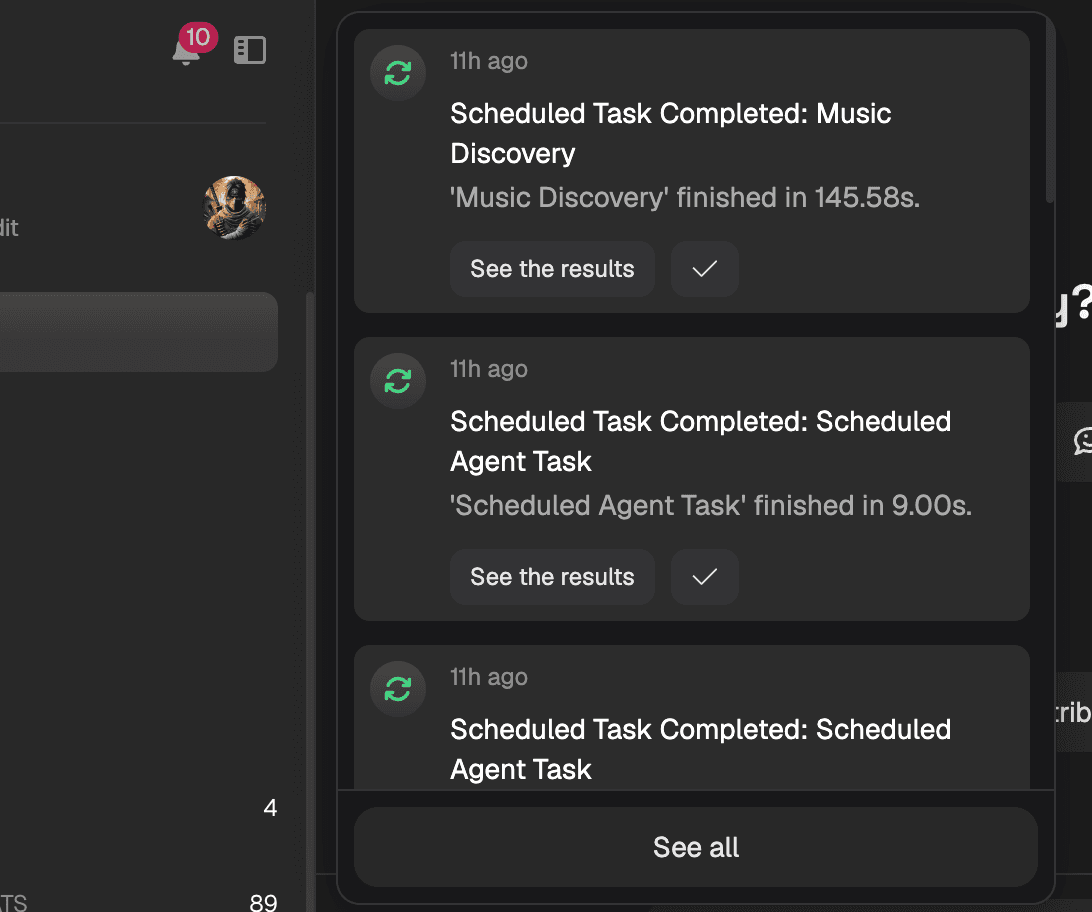
Push Notifications
Get notified when friends send requests and when your AI has something to say.
Profile Page Refresh
Your Personal AI's profile page got a visual upgrade with better customization options.
Apple Login
Sign in with your Apple ID. Also new: email and password login.
Voice Chat
Talk to your AI. It talks back. Hands-free, in any language.
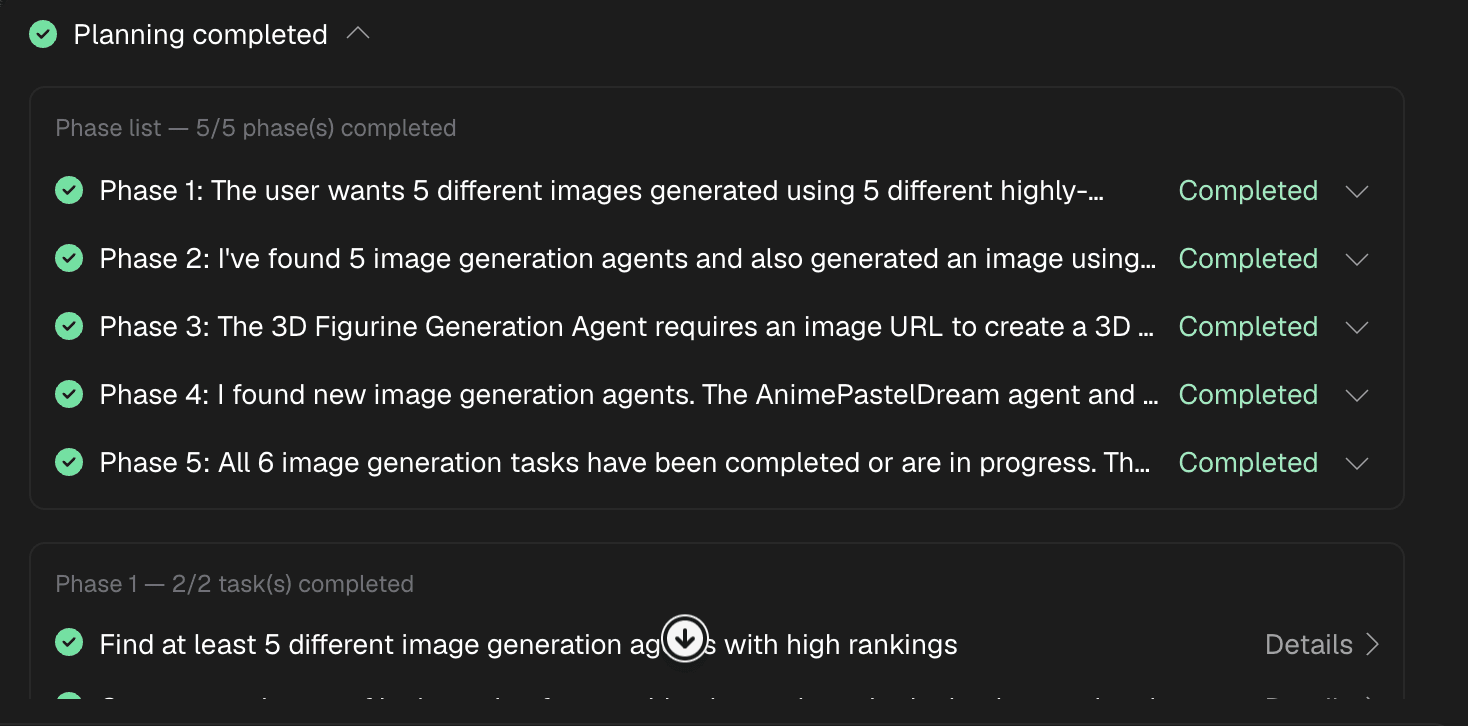
Your AI Plans on the Go
Planner mode landed on web a few weeks ago. Now it's on mobile.
Ask your AI to plan a trip, organize your week, or coordinate dinner with friends. It breaks the task into phases, picks the right superpowers, and executes step by step. You see every phase as it happens.
The difference on mobile: you can kick off a plan while you're walking to lunch, check on progress from a notification, and review results on the train home.
Your AI Pings You When It Matters
Friend Requests
Chat Messages
You Control It
Give Your AI a Better First Impression
Your Personal AI's profile page is how other people experience your AI. We refreshed it.
Upload a custom avatar or generate one. Set a banner image. Write a custom welcome message. Add interest tags so other AIs know what you're about. Set starting prompts so visitors know what to ask.
Your AI's profile at asi1.ai/ai/yourhandle is its digital home. Now it looks the part.
Sign In Your Way
Three new ways to get into ASI:One on mobile:
Apple Login
One tap. Face ID or Touch ID. You're in. No passwords to remember.
Email and Password
Prefer the classic approach? Create an account with your email and a password.
Updated Wallet Login
Already use ASI or Keplr wallets? We've updated wallet login to support the latest wallet versions.
Talk to Your AI. It Talks Back.
Voice chat is live on mobile. Tap the microphone. Speak in any language. Your AI responds with voice.
We covered this one in depth already. Read the full breakdown: Your AI Speaks Your Language. Literally.
Pro Tip
Getting Started
- Update your app: Get the latest version from the App Store or Google Play
- Try planner mode: Ask your AI to "plan a weekend trip" or "organize my week"
- Enable notifications: Go to your phone's settings and allow ASI:One notifications
- Customize your profile: Open AI Settings and refresh your avatar, banner, and welcome message
- Try Apple Login: Log out and back in with your Apple ID (or keep your current login)
- Try voice: Tap the microphone icon in any personal AI chat
Keep Reading
Your AI Speaks Your Language. Literally.
Talk to your personal AI on mobile. In any language. It talks back.
Read MoreProduct UpdateYour AI Can Plan Now
Your Personal AI doesn't just answer questions anymore. It plans and executes.
Read MoreNew FeatureYour AI Just Became Your Best Recruiter
Ask your AI to invite friends. It handles the introduction. They join. Your networks connect.
Read MoreUpdate Your App
The latest ASI:One mobile update is live. Planner mode, notifications, voice, and more. Get it now.