Keep Your Important Chats Front and Center
Pin your most important chats. Stop scrolling through history to find what matters.
You have 50+ conversations. The one you need? Buried somewhere in the middle.
Maybe it's your ongoing chat with your Personal AI. Maybe it's that group planning thread for next month's trip. Maybe it's the collaboration you keep coming back to every day.
Whatever it is, you shouldn't have to scroll past dozens of other conversations to find it.
Now You Can Pin It
Pinned chats stay at the top. Always accessible. Always visible. No more hunting through your chat history.
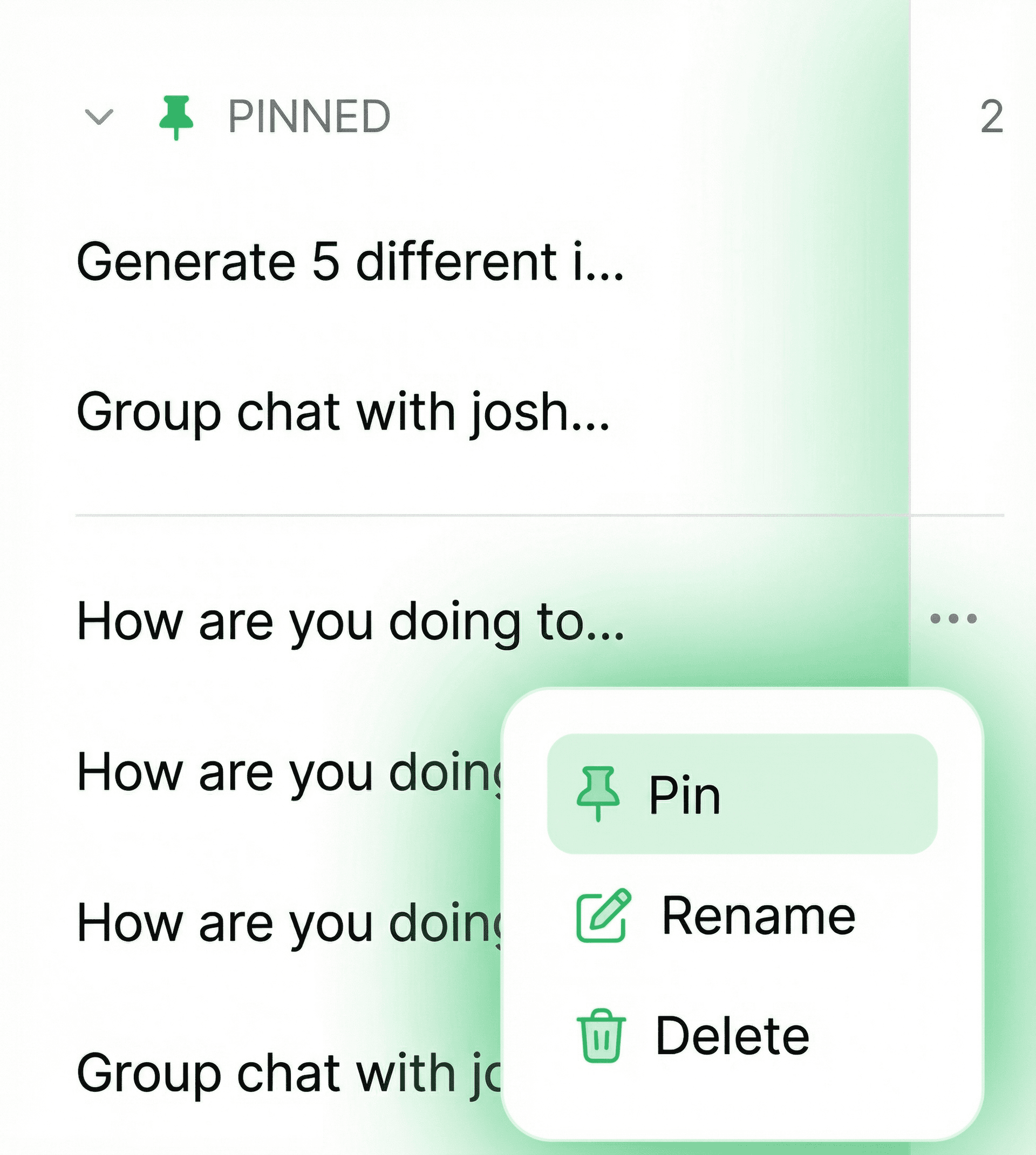
How It Works
Three taps. That's it.
Find the Chat
Tap the Menu
Hit Pin
Want to unpin? Same process. Tap the menu, hit "Unpin." Simple as that.
What Should You Pin?
Pin the chats you keep coming back to:
- Your Personal AI chat — Your go-to conversation for everything.
- Ongoing group plans — That trip, that party, that project you're coordinating.
- Frequent collaborations — The agent or AI you work with daily.
Pro Tip
You can pin multiple chats. They'll all stay at the top, sorted by your most recent activity. Think of it as your "favorites" section.
Try It Now
Open any chat and hit the pin icon. Your most important conversations deserve to be front and center.